# Settings
> **Warning**
> Wi-Fi and IP related settings will restart the Wi-Fi service.
> After applying the settings, you may need to reconnect to the page.
>
> Please be careful when applying settings. Incorrect settings may prevent you from connecting to the device.
> If you have problems with the device settings, connect the debug USB-C connector to check the device's logs.
> If necessary, you can re-update the firmware to initialize the device.
## Connect to Wi-Fi
The device boots in APSTA mode by default and services the following AP.
- SSID: powermate
- Password: hardkernel
After connecting to the above AP using a smartphone, etc., you can configure the device by accessing the
`http://192.168.4.1` address.
> **Warning**
> A warning that the AP does not have internet may appear. Please press `Allow connection` to connect to the device.
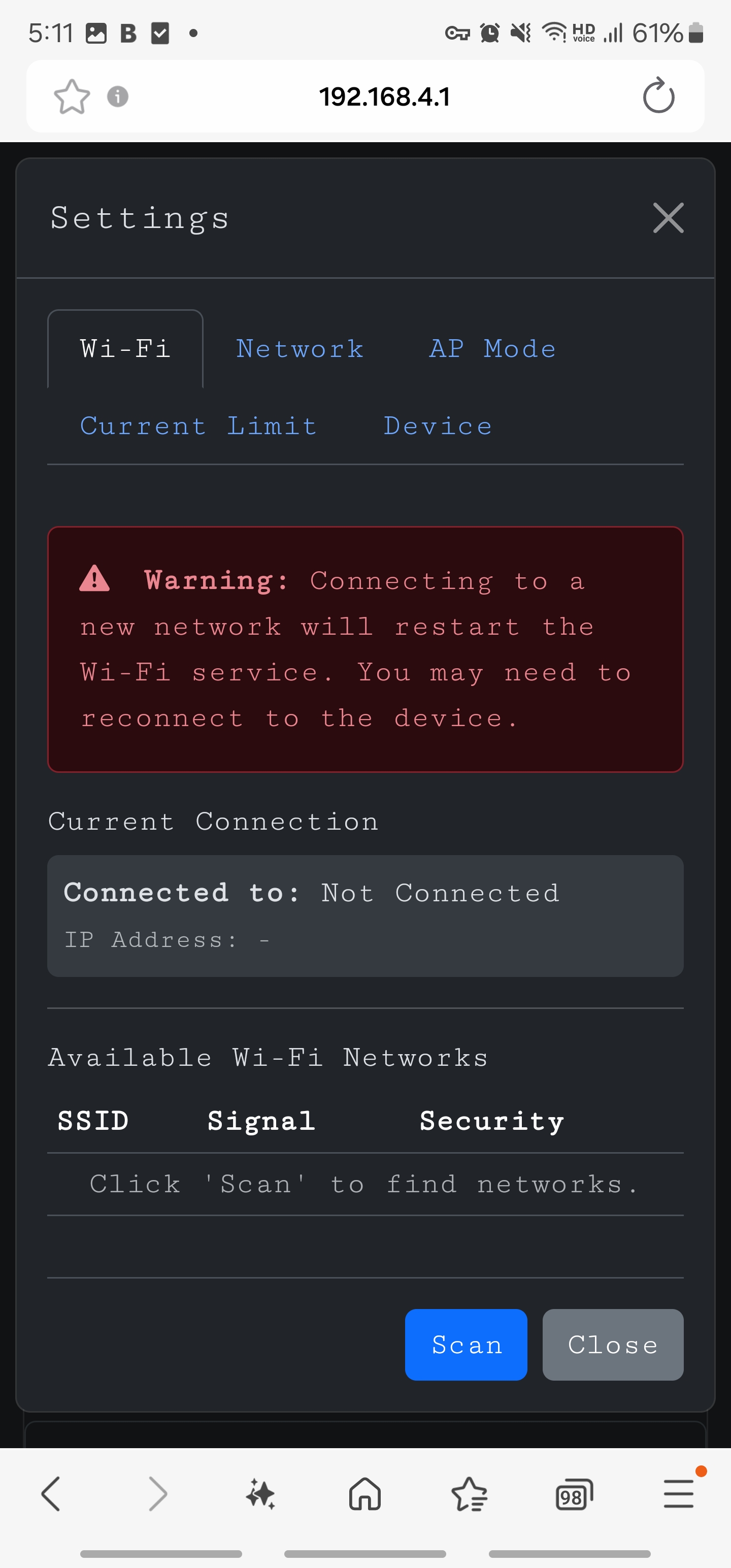
You can open the settings window by pressing the gear button at the top.
Press the Scan button to see a list of nearby APs.
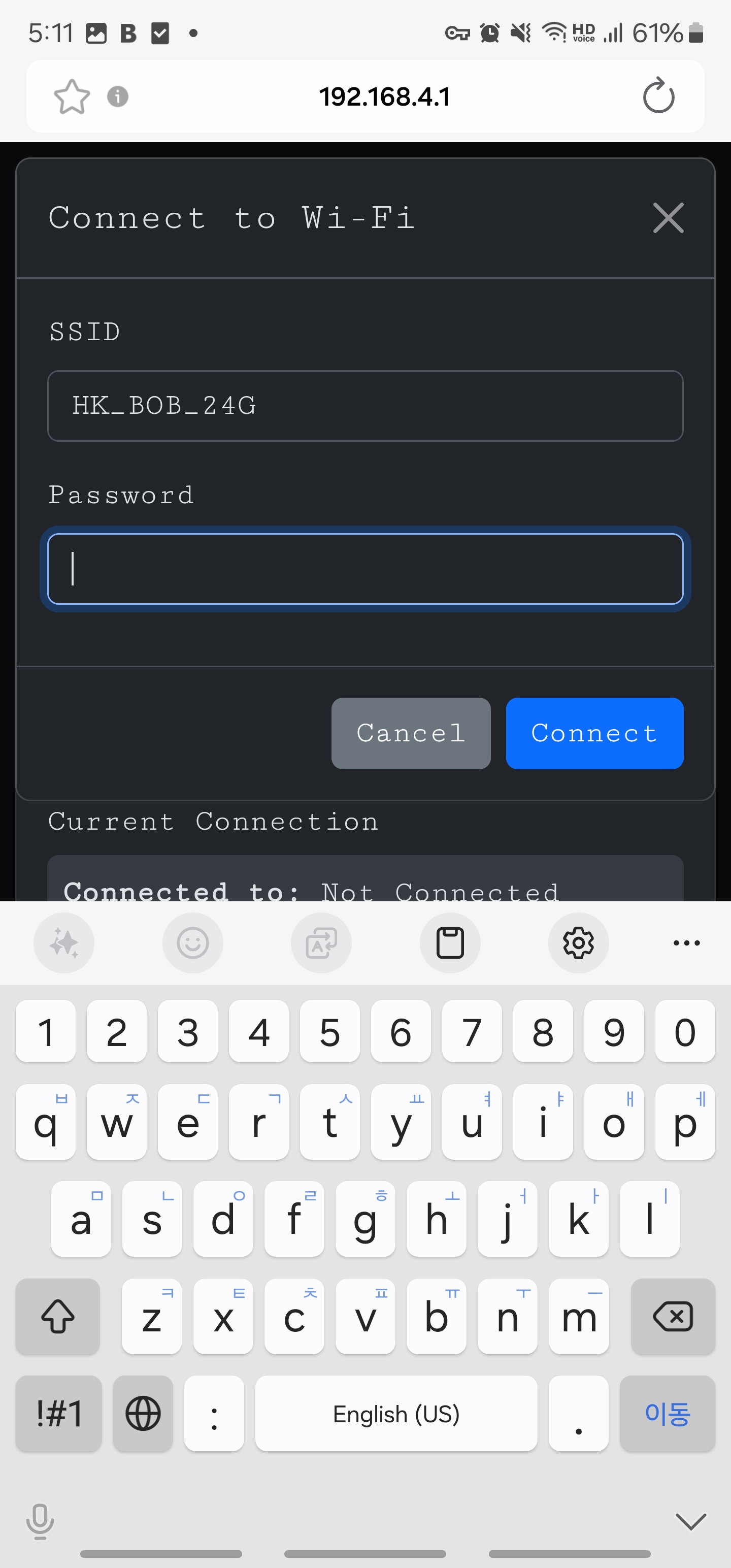
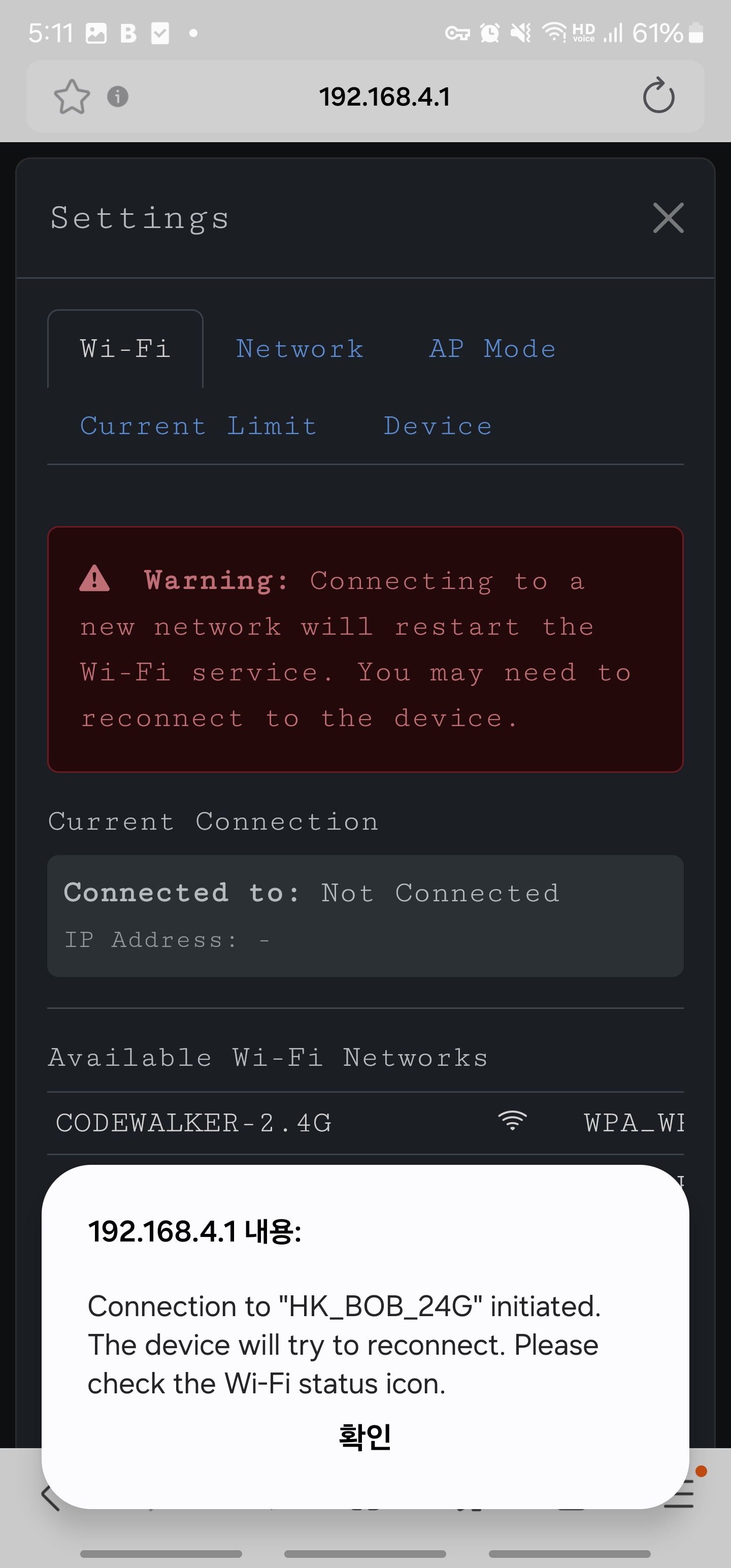
 After entering the password, press the Connect button and PowerMate will attempt to connect to the AP.
For public APs, leave the Password blank.
After entering the password, press the Connect button and PowerMate will attempt to connect to the AP.
For public APs, leave the Password blank.
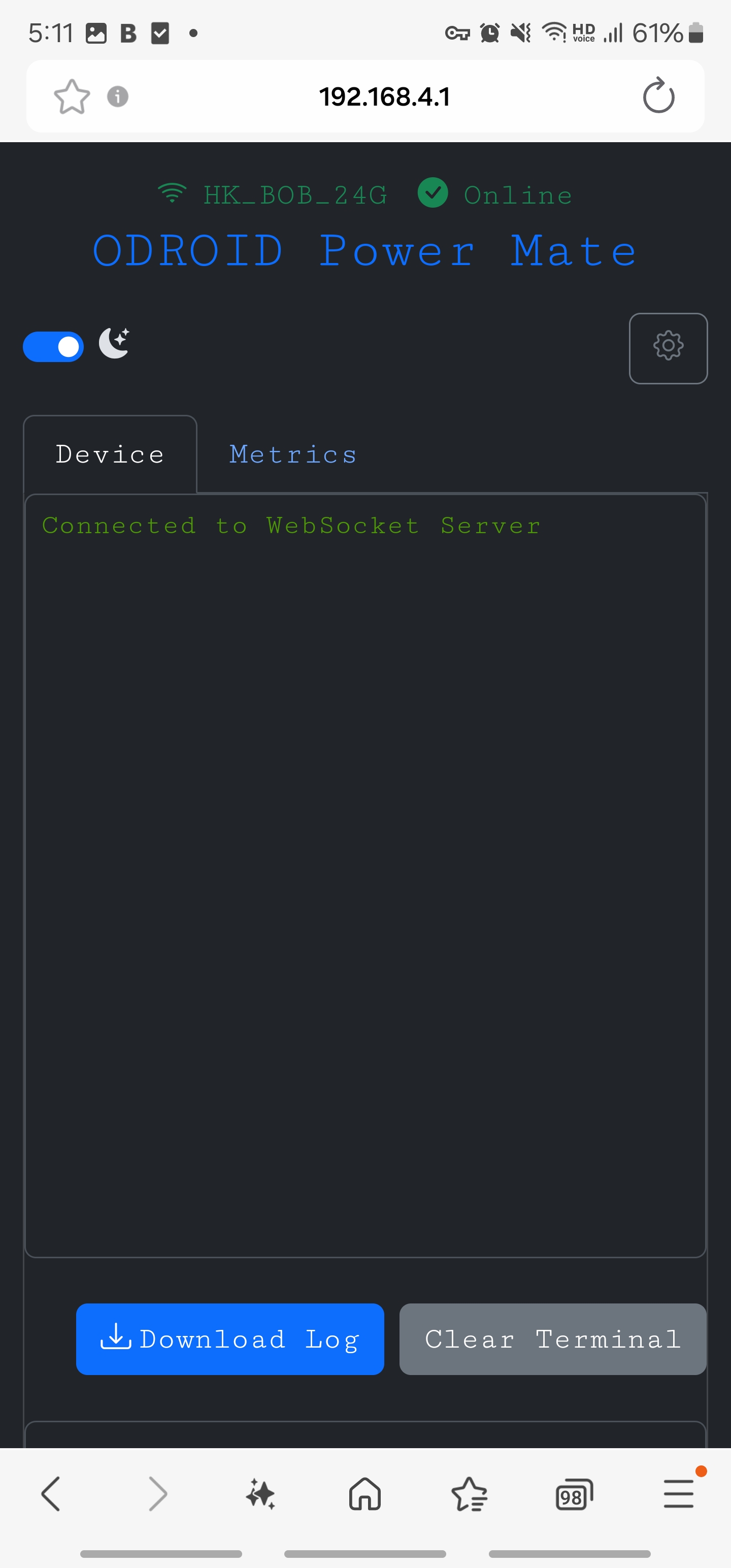
 When Wi-Fi is connected, the green SSID name appears at the top of the page.
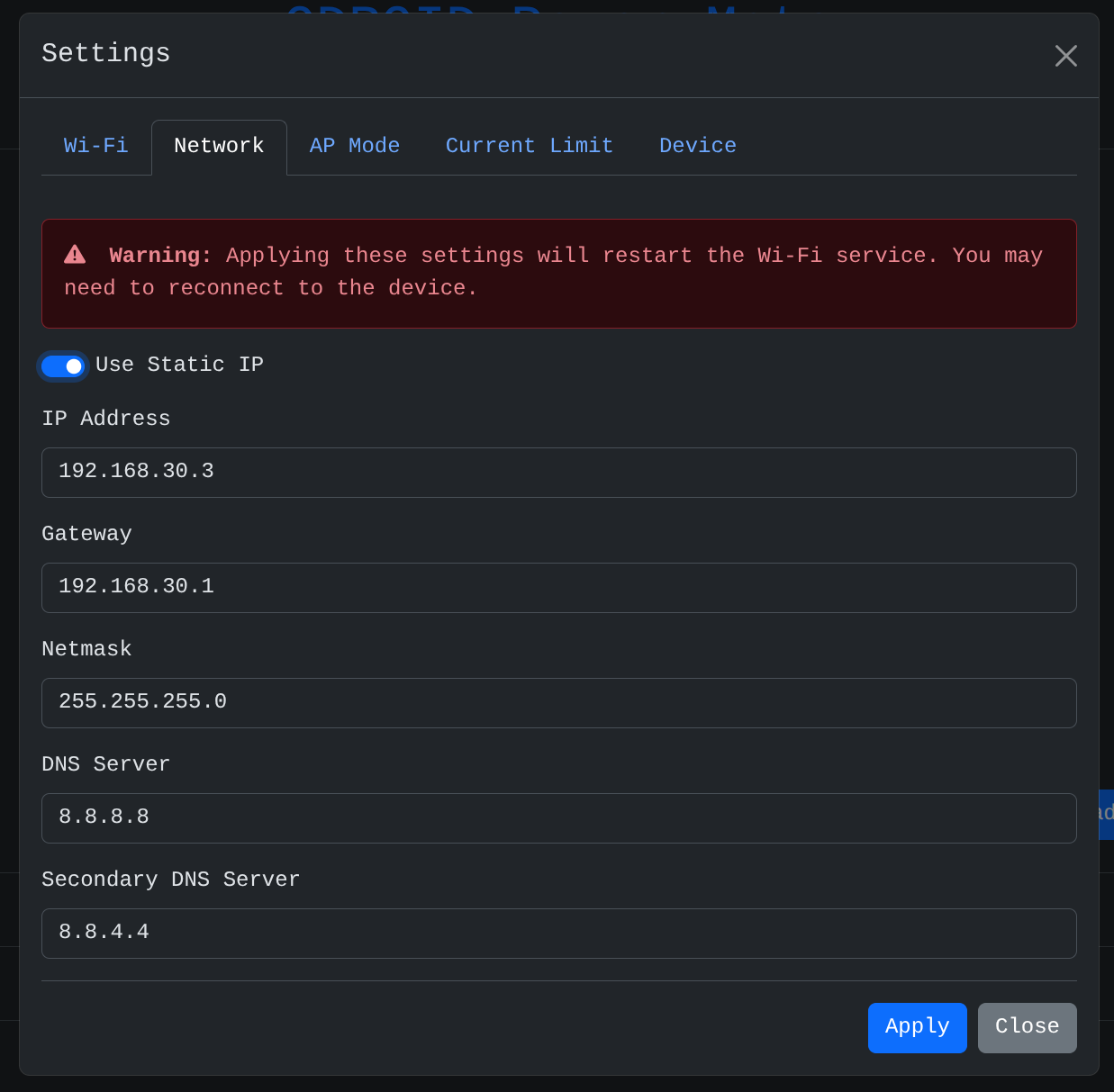
 ## Set static ip
You can assign the IP of the device yourself.
You can set the IP directly by turning on the `Use Static IP` toggle in the `Network` tab.
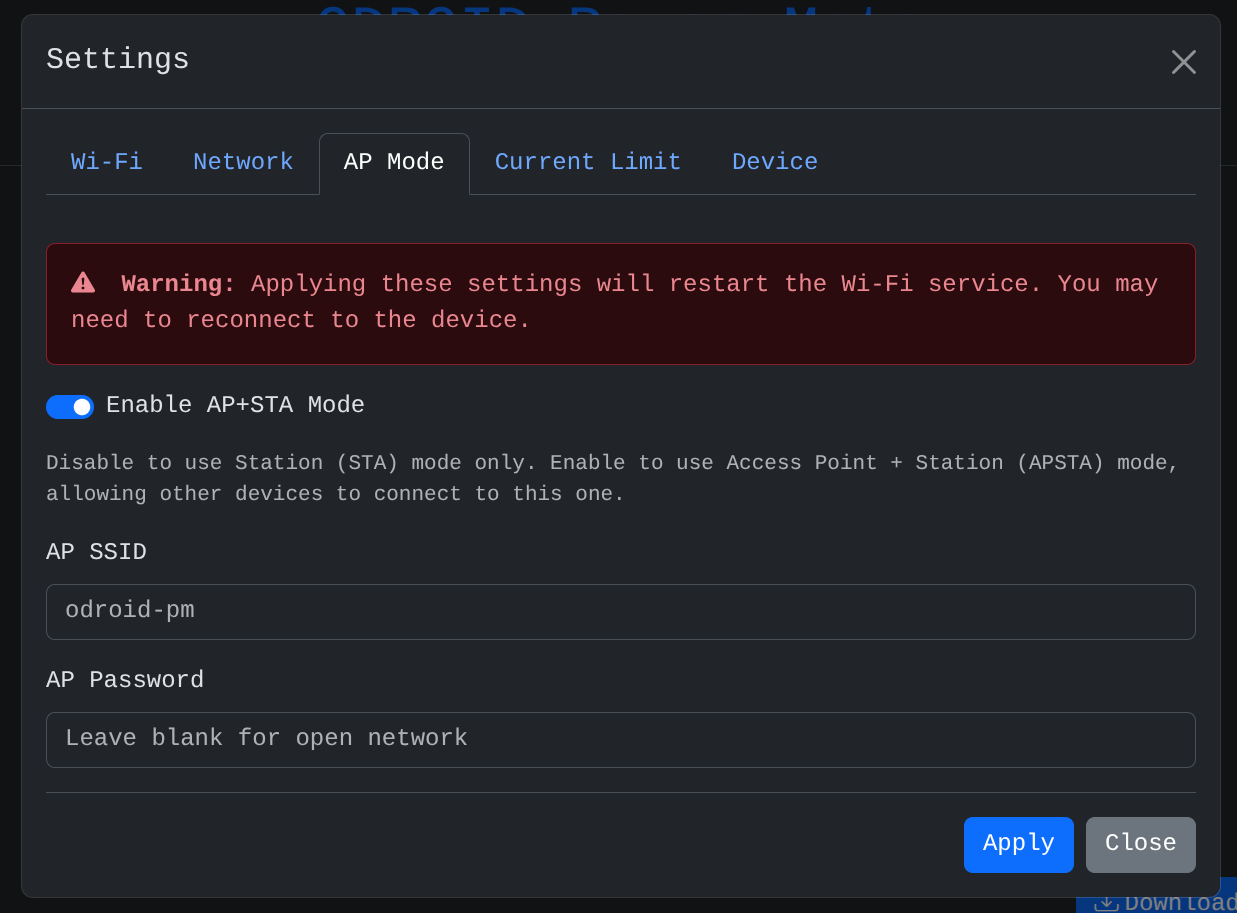
## AP Mode
Configure the AP function of PowerMate.
If you do not need the AP service, it is recommended to disable it.
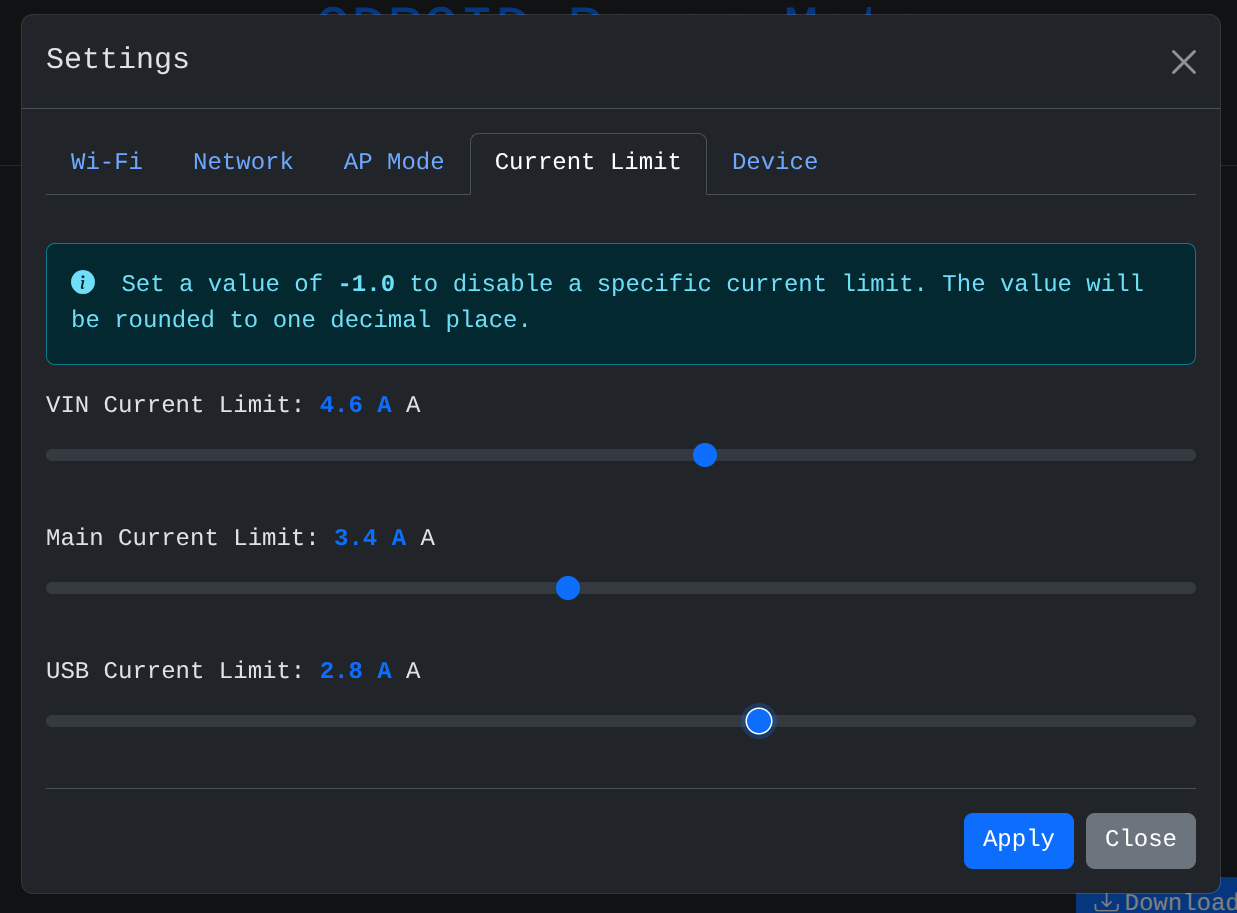
## Current Limit
Monitors the current of PowerMate, and if a value higher than the set current is detected, all load switches are turned
off.
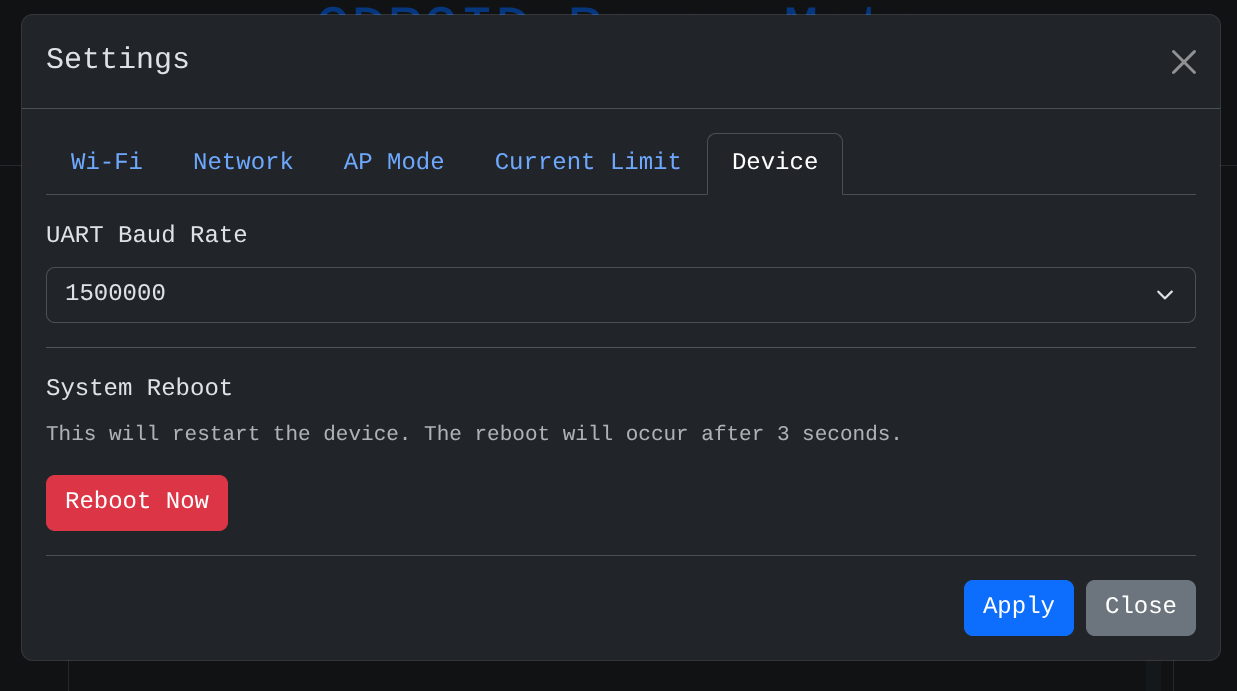
## Device
Sets the UART Baudrate. Please match it with the baudrate of the connected ODROID.
| ODROID | Baud rate |
|------------------|----------------------------|
| ODROID-C4 | 115200 |
| ODROID-C5 | 921600 |
| ODROID-M1/M1S/M2 | 1500000 |
| ODROID-H3/4 | According to user settings |
You can reboot the PowerMate. The state of the load switch does not change due to rebooting.
## Set static ip
You can assign the IP of the device yourself.
You can set the IP directly by turning on the `Use Static IP` toggle in the `Network` tab.

## AP Mode
Configure the AP function of PowerMate.
If you do not need the AP service, it is recommended to disable it.

## Current Limit
Monitors the current of PowerMate, and if a value higher than the set current is detected, all load switches are turned
off.

## Device
Sets the UART Baudrate. Please match it with the baudrate of the connected ODROID.
| ODROID | Baud rate |
|------------------|----------------------------|
| ODROID-C4 | 115200 |
| ODROID-C5 | 921600 |
| ODROID-M1/M1S/M2 | 1500000 |
| ODROID-H3/4 | According to user settings |
You can reboot the PowerMate. The state of the load switch does not change due to rebooting.
